Sports & Wrestling Libraries
Wrestling, MMA, and sports programming don't follow standard season and episode numbering — they're dated events. MediaForge detects this automatically, matches against TVDB by air date, and routes files to a dedicated sports folder in your library.
Why sports files are different
Most TV shows have a defined season and episode structure — S01E01, S02E14. Sports programming doesn't work like that. WWE Raw has aired weekly since 1993. There's no meaningful episode number — what matters is the date.
Scene and torrent releases reflect this. Sports files typically look like:
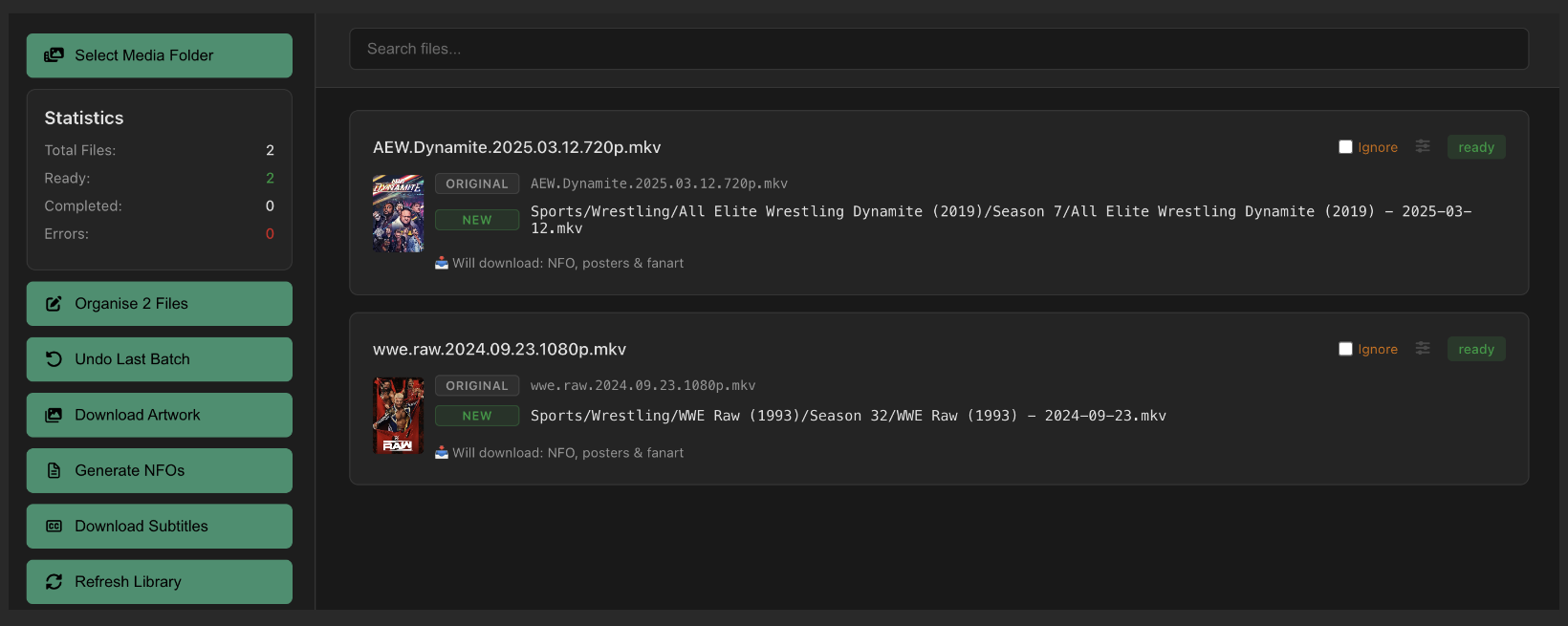
AEW.Dynamite.2025.03.12.720p.mkv
MediaForge detects the YYYY.MM.DD pattern automatically and switches to date-based matching — no configuration required.
How date-based matching works
When MediaForge finds a date in a filename, it:
- Identifies the show name from the filename (e.g.
WWE Raw) - Searches TVDB for a matching series
- Resolves the correct TVDB season number from the air year — WWE Raw 2024 maps to Season 32, not Season 2024
- Finds the specific episode by air date within that season
- Renames the file using the date-based naming template and generates a full NFO
The date-based naming template
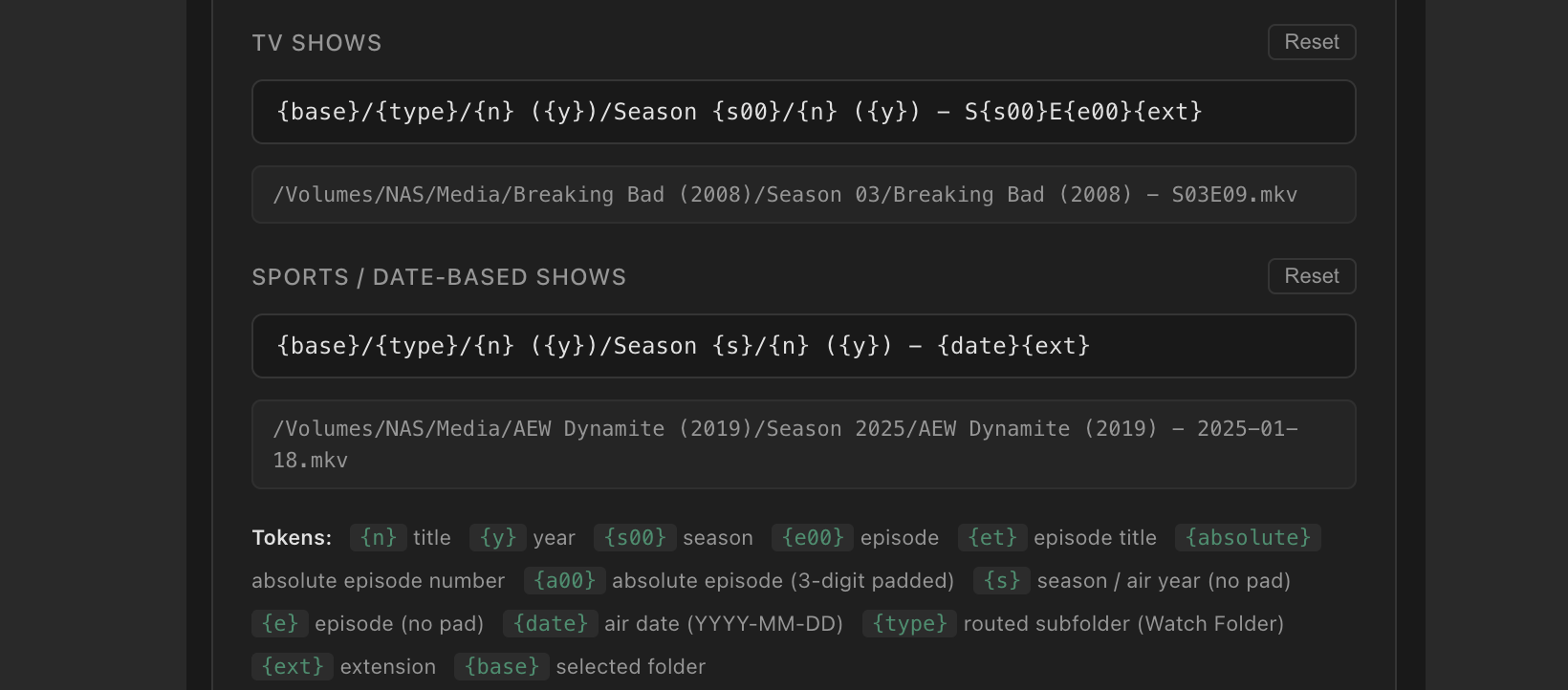
MediaForge has a dedicated naming template for date-based shows, separate from your standard TV and movie templates. You'll find it in Settings → File Naming.
The recommended template for sports:
For a WWE Raw file dated 23 September 2024 with a Sport → Sports/Wrestling routing rule, this produces:
Sport genre routing
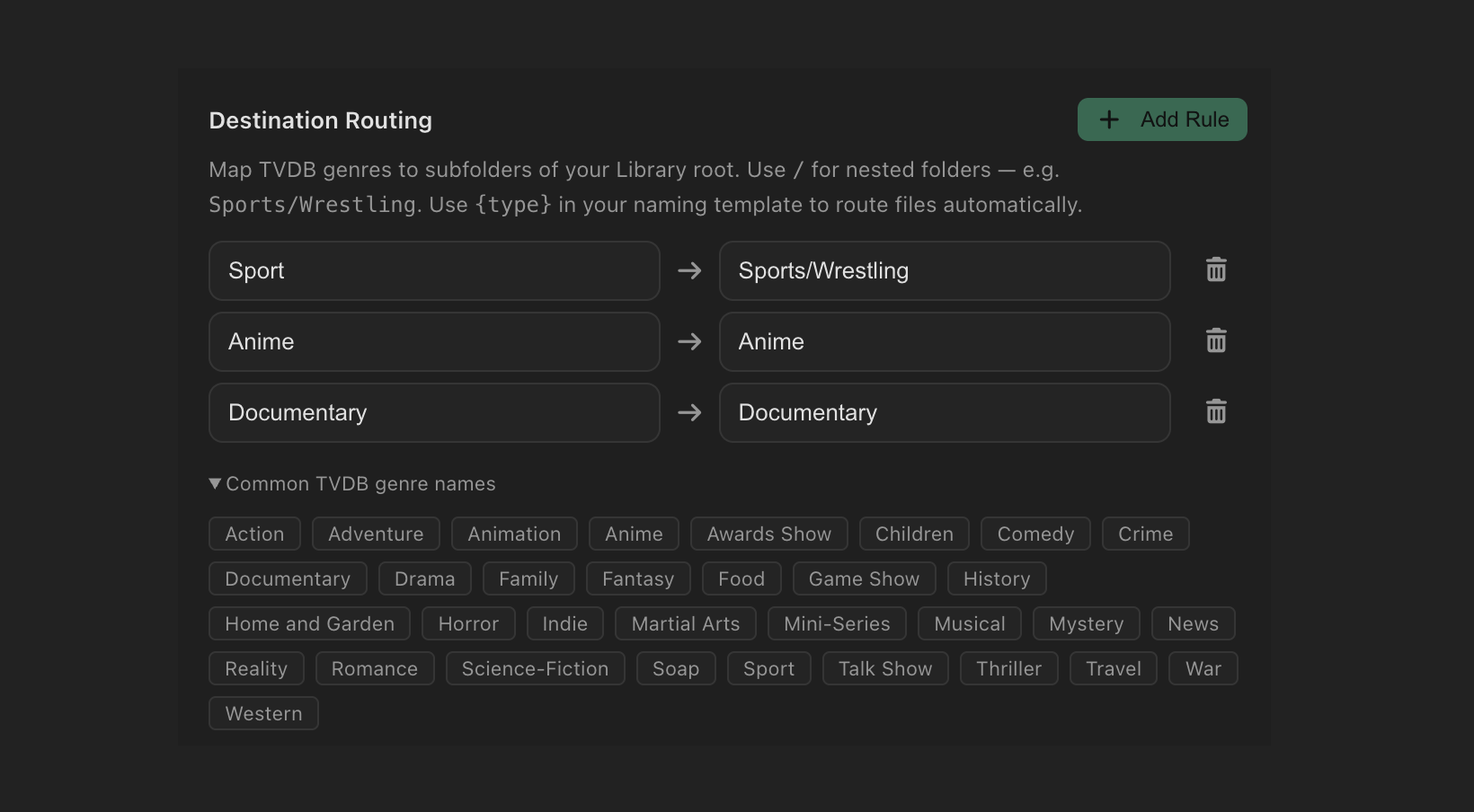
TVDB tags wrestling, MMA, and sports programming with the Sport genre. Add a routing rule in Settings → Watch Folder to send sport files to a dedicated subfolder automatically.
With {type} in your template, the routing rule determines where the file lands. You can be as specific as you like — separate wrestling and MMA into their own folders, or keep all sport together:
Routing rules are checked in order — the first matching rule wins. If you want wrestling and MMA in separate folders, you'll need a way to distinguish them. Since TVDB tags both as Sport, the simplest approach is to keep all sport in one folder and let Jellyfin handle separation via individual library entries.
Automating with Watch Folder
Watch Folder works particularly well for sports — new episodes drop on a predictable schedule and you rarely need to intervene. Drop a file in your Inbox and MediaForge matches it by date, routes it to your sports folder, downloads artwork and NFO, and triggers a library refresh.

See the Watch Folder guide for full setup instructions.
Jellyfin / Emby / Plex library setup
Add a Shows library in Jellyfin for each sport folder and point it directly at the leaf folder — not the parent. For example, if your routing rule is Sport → Sports/Wrestling, add a Jellyfin library pointed at /Media/Sports/Wrestling.
Enable real-time monitoring on each sports library so files synced by Watch Folder appear immediately.
| Jellyfin Library | Type | Path |
|---|---|---|
| TV Shows | Shows | /Media/TV Shows |
| Wrestling | Shows | /Media/Sports/Wrestling |
| MMA | Shows | /Media/Sports/MMA |
| Movies | Movies | /Media/Movies |
Do not point Jellyfin at /Media/Sports — it will treat Wrestling and MMA as series names rather than subfolders to scan.
Common sports shows on TVDB
These shows are well-catalogued on TVDB with full episode listings by air date. MediaForge matches them reliably from standard scene filename patterns:
Availability
Date-based matching and Sport genre routing are available in all versions of MediaForge for paid users on both Mac App Store and direct download (DMG) licences.
Ready to organise your sports library?
MediaForge handles date-based sports files automatically — no manual episode matching required.