Your media library,
perfectly organised.
Rename, sort and enrich your movies and TV shows automatically. Built for Jellyfin, Emby and Plex. Powered by TMDB and TVDB.
Works with Jellyfin · Emby · Plex
From chaos to collection
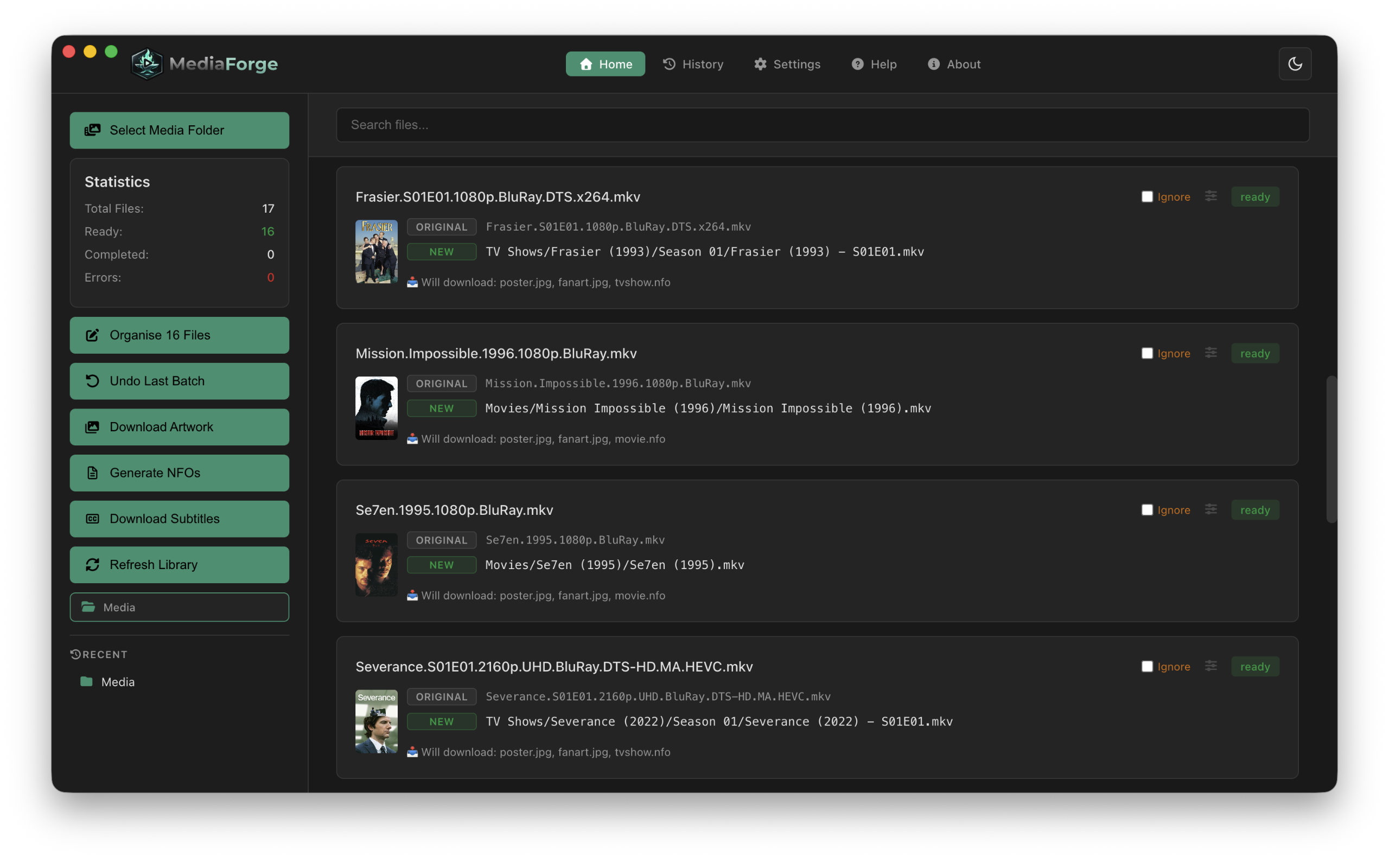
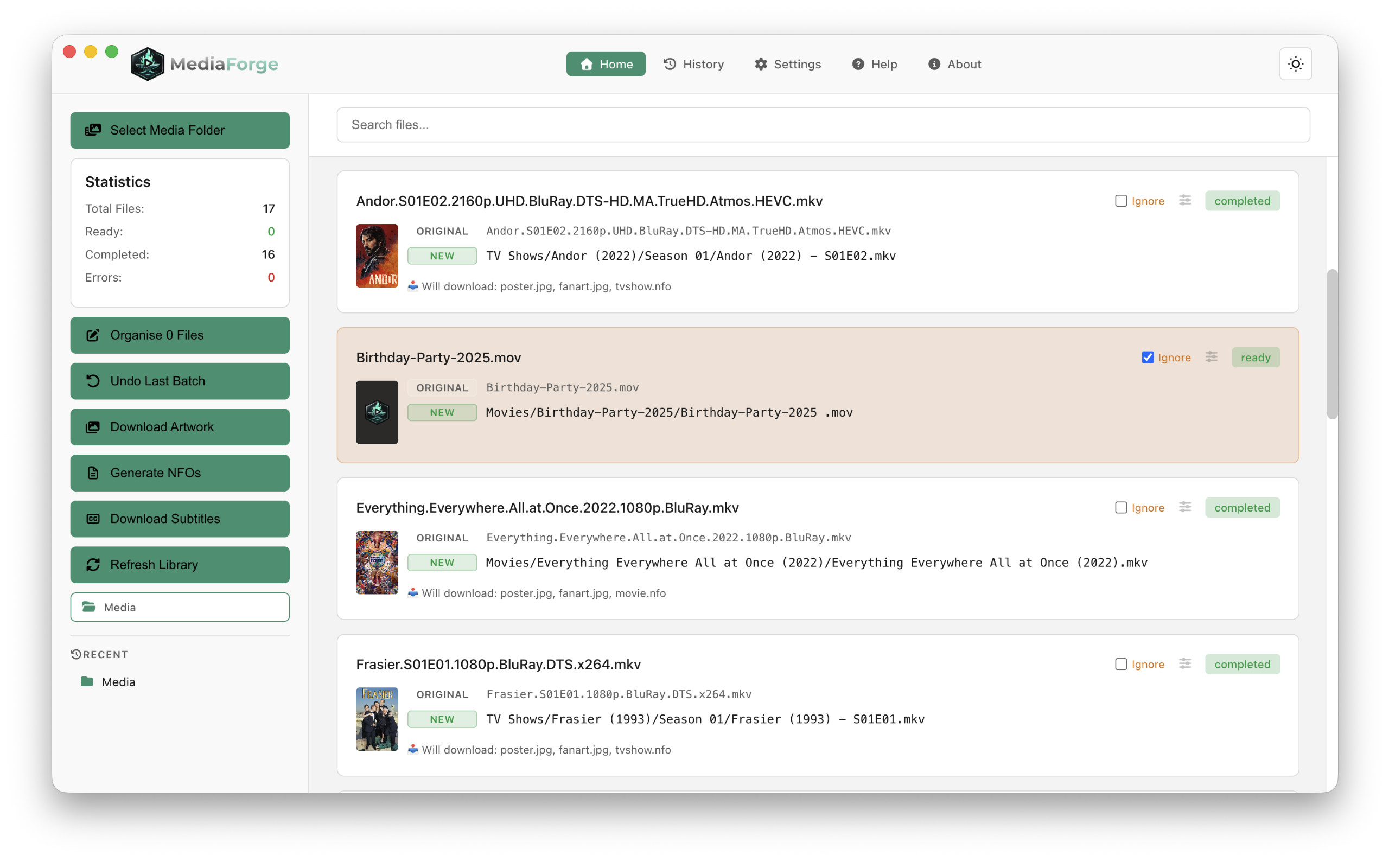
Media Forge takes your unorganised media files and turns them into a perfectly structured library your media server will love.
Before
the.oc.s01e01.720p.x264.mkv
Mission.Impossible.1996.4K.mkv
WrestleMania.40.2024.1080p.BluRay.mkv
After
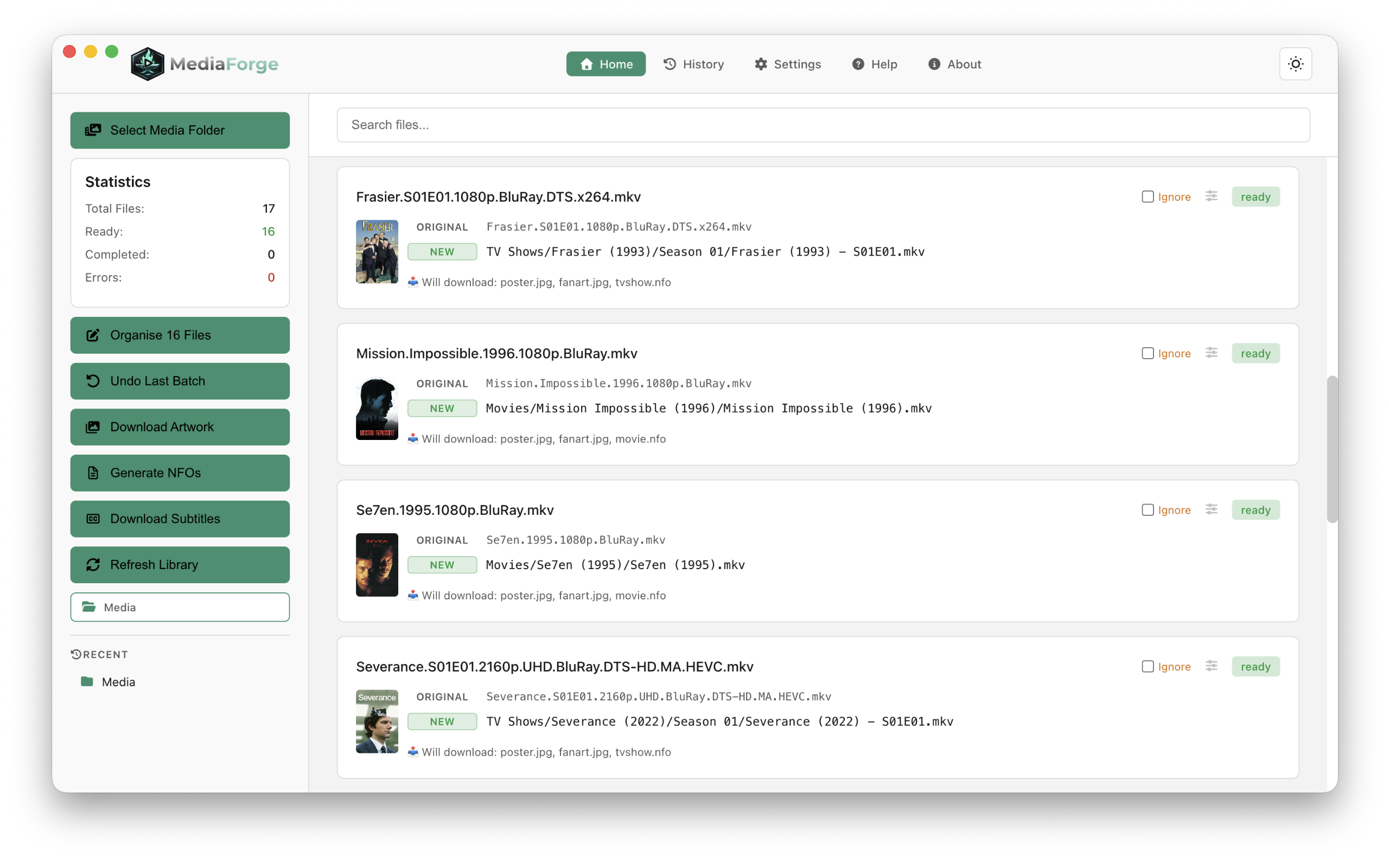
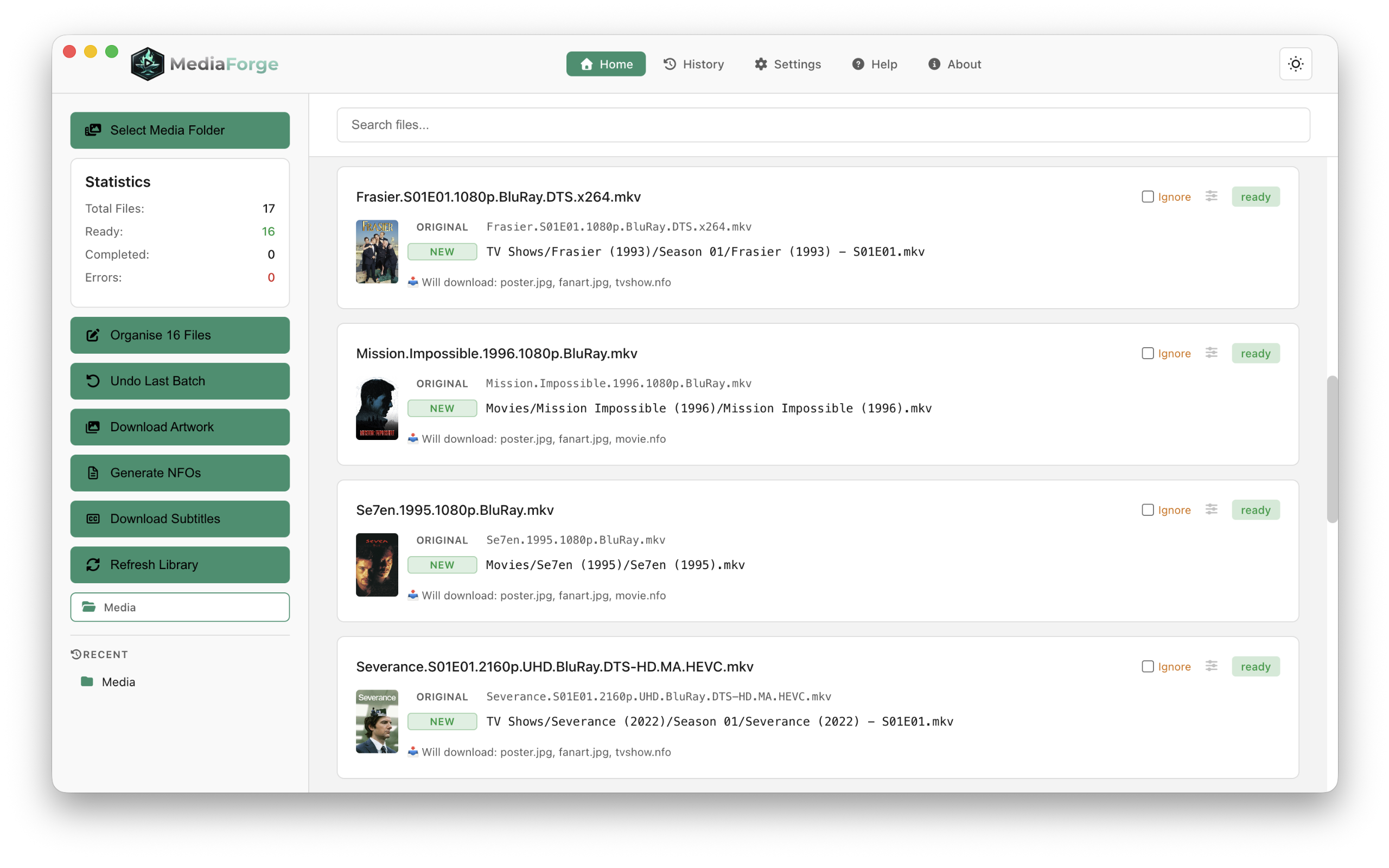
TV Shows/The O.C. (2003)/Season 01/The.O.C.S01E01.mkv
Movies/Mission Impossible (1996)/Mission.Impossible.1996.mkv
Sports/WrestleMania 40 (2024)/WrestleMania 40 (2024) - 2024-04-06.mkv
Everything your library needs
All the tools to go from a folder of unorganised media to a fully enriched media library.
Smart Rename
Automatically identifies your files using TVDB and renames them using your own custom template, or sensible defaults your media server already understands. TV shows, movies and date-based content all handled.
Library Manager
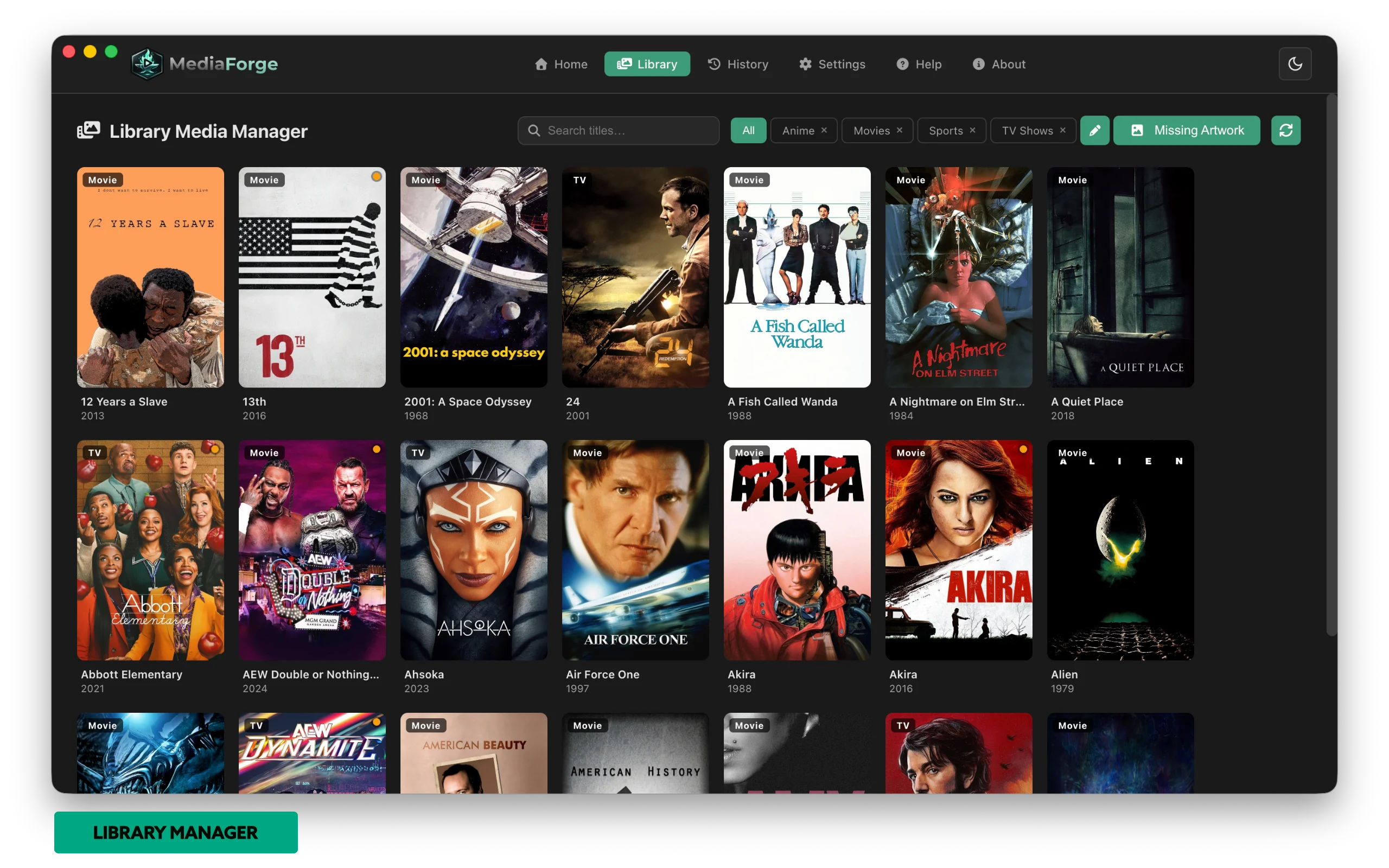
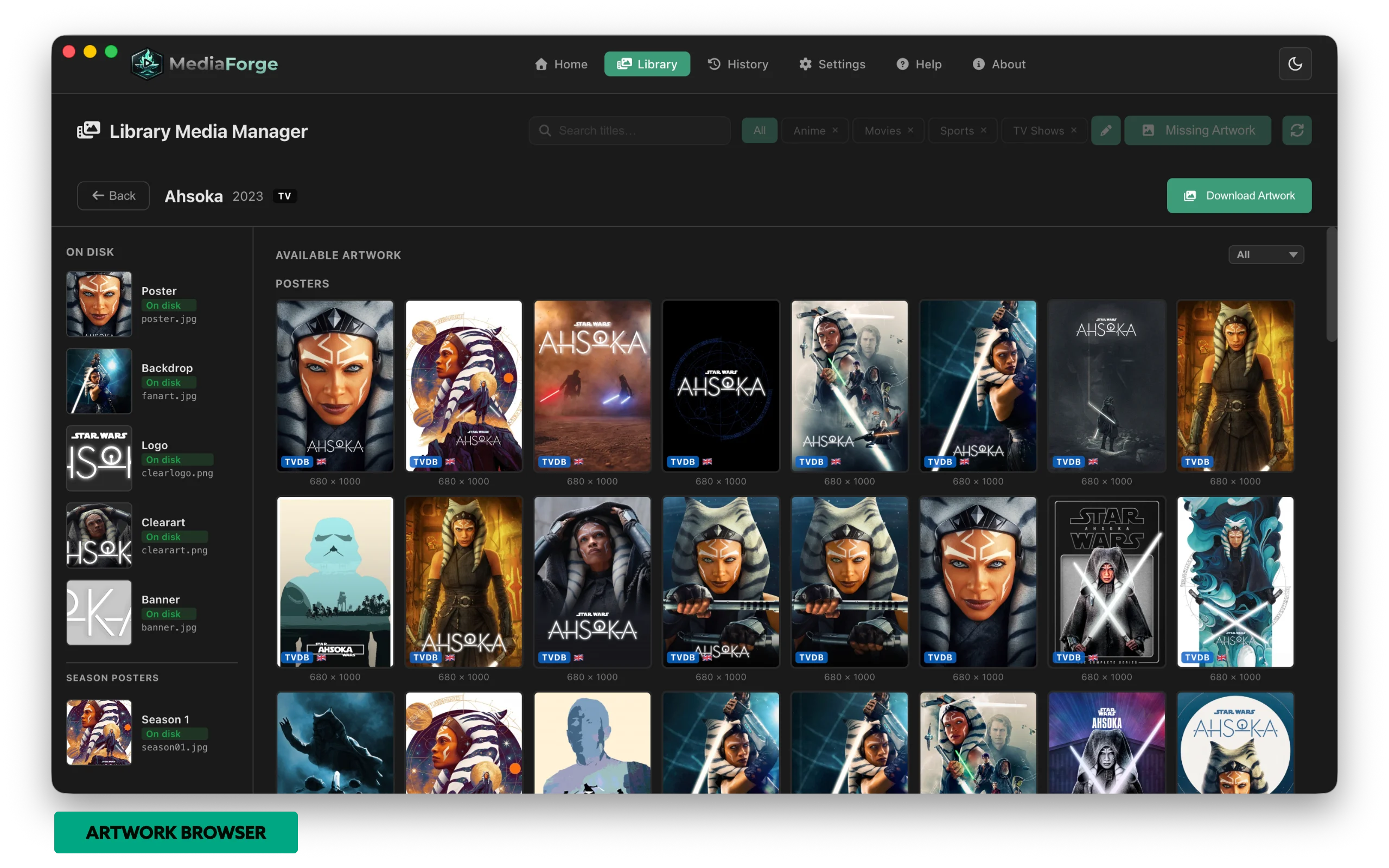
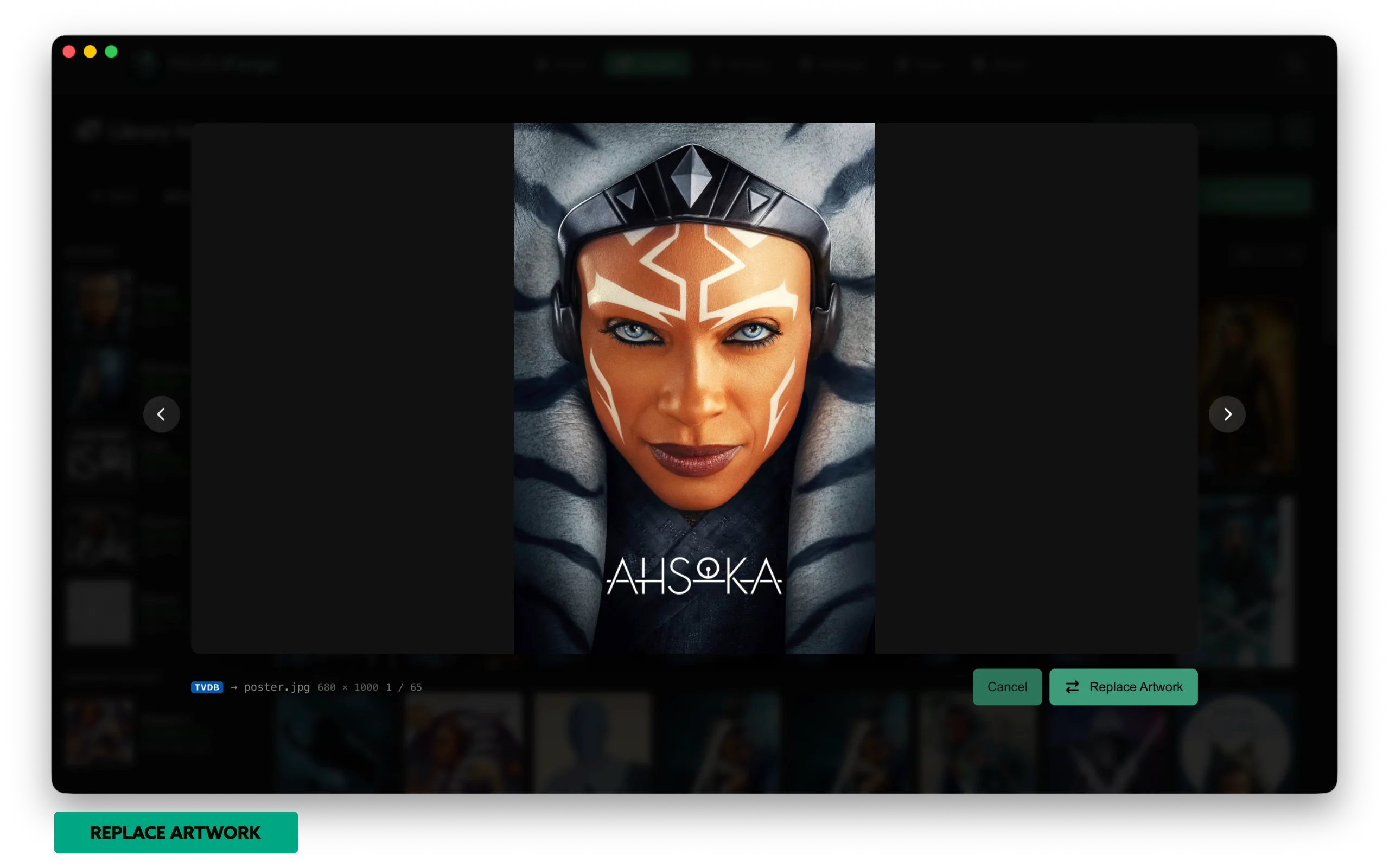
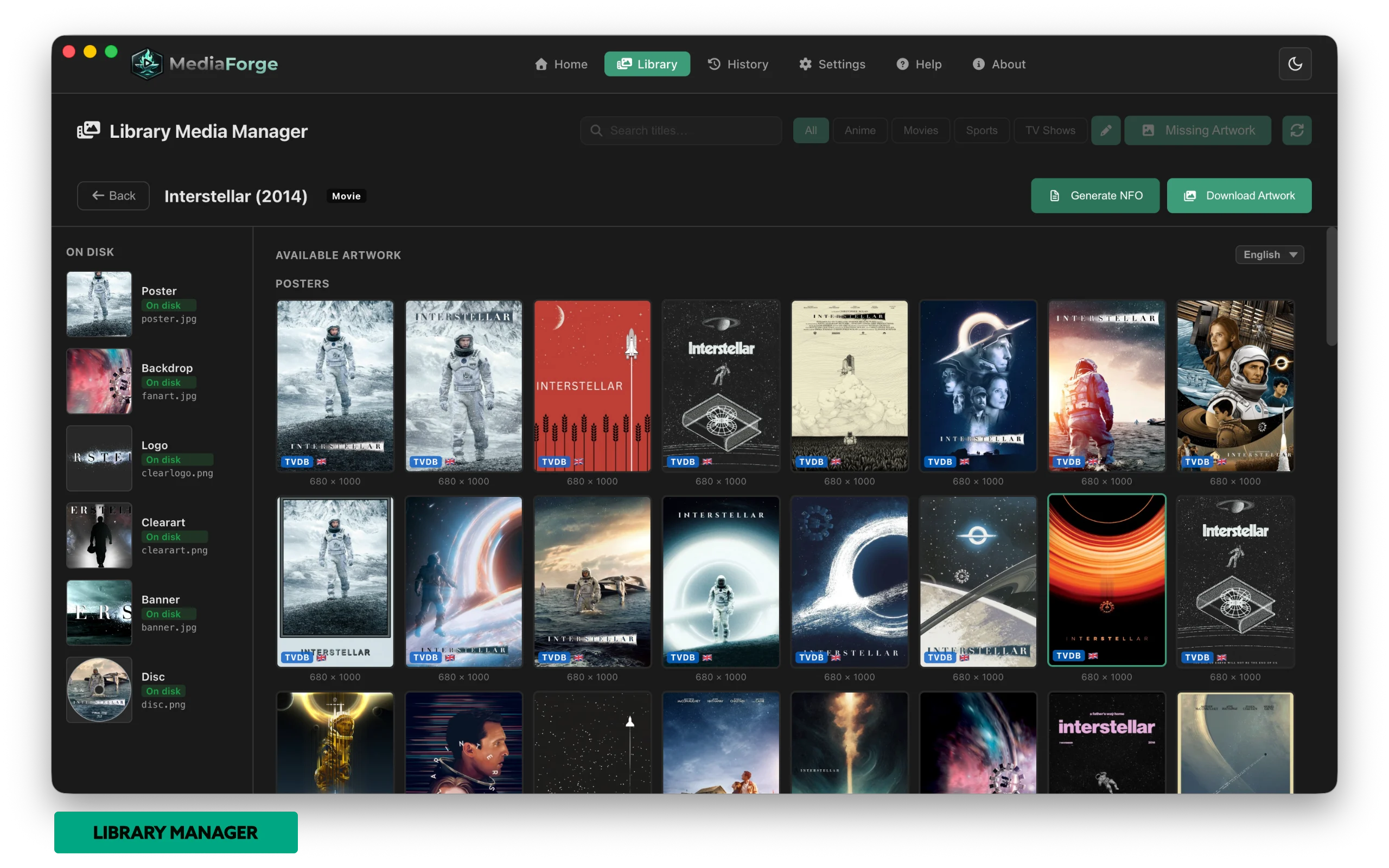
Browse your entire media library as a visual poster grid. Filter by category, spot missing artwork at a glance, and jump into any title to browse hundreds of posters, backdrops, logos and disc art — then replace artwork on disk in one click.
Custom Naming Templates
Stop fighting your folder structure — MediaForge organises into yours. Set separate templates for Movies, TV Shows, and Sports using tokens like {n}, {y}, {s00}, {e00} and {date}. Get the right name and folder structure in one step — no more renaming then manually reorganising. A live preview shows exactly what your files will look like before you rename a single thing.
Artwork Download
Downloads poster, fanart, logo, clearart, banner and disc images automatically after every rename. TVDB provides poster and fanart; logo, clearart, banner and disc come from Fanart.tv (API key optional in Settings). Supports season-level artwork and updates your library on demand.
NFO Generation
Creates rich XML metadata files for every show, season and episode — including plot, ratings, cast and air dates. Fully compatible with Jellyfin, Emby, Plex and Kodi.
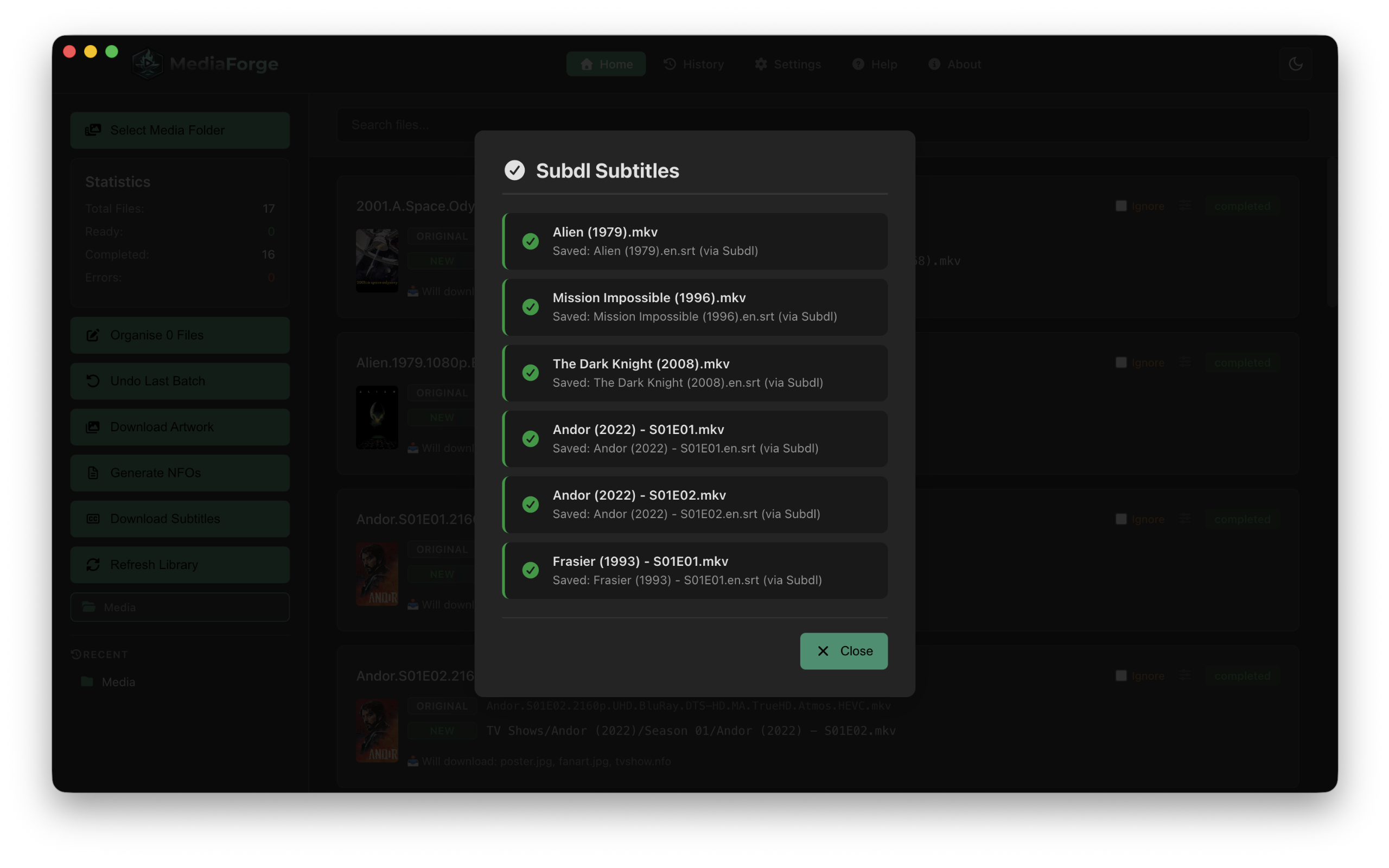
Subtitle Download
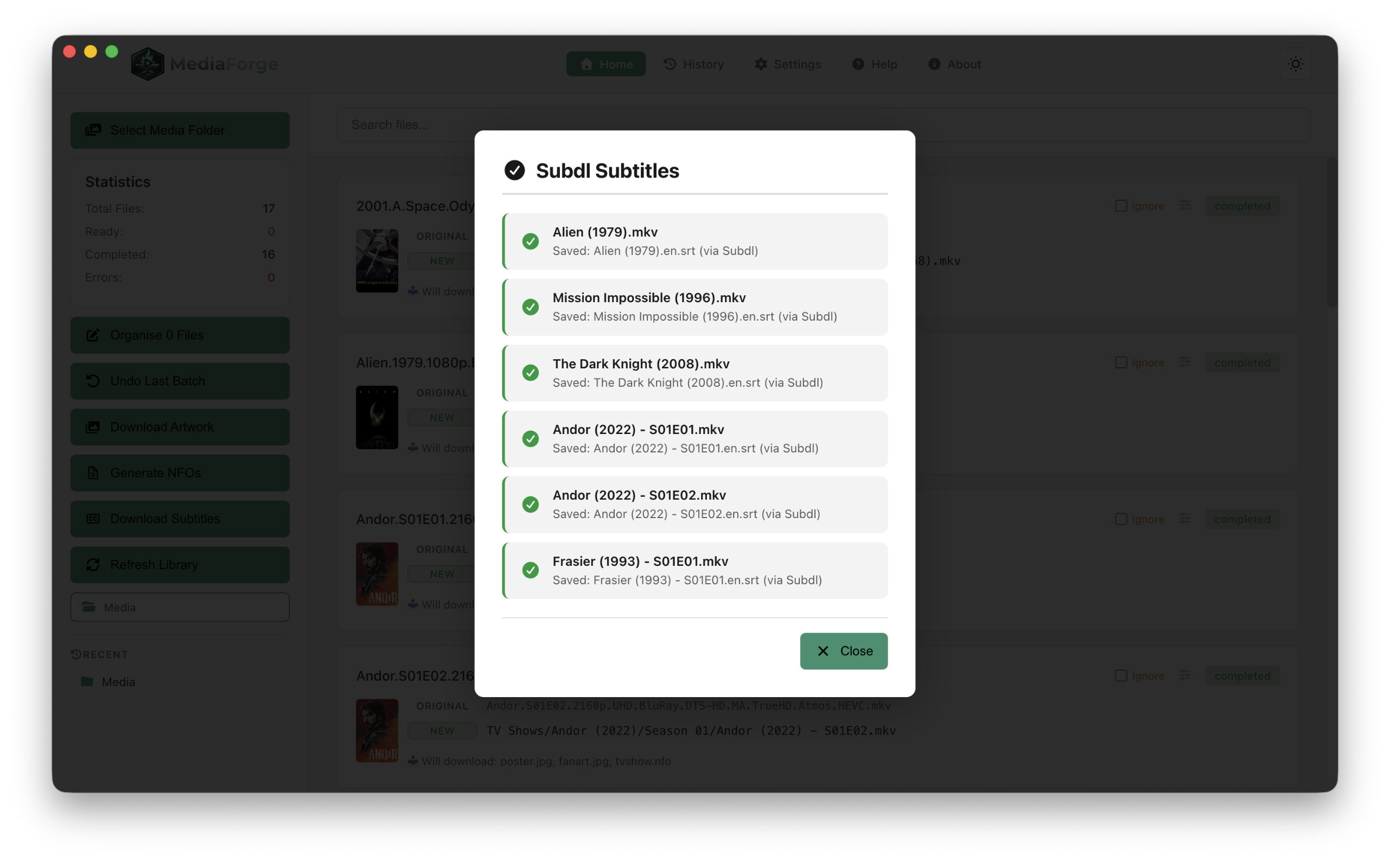
Auto mode tries Subdl for the best match. Per-show skip list means wrestling and sports fans never get prompted again.
Library Refresh
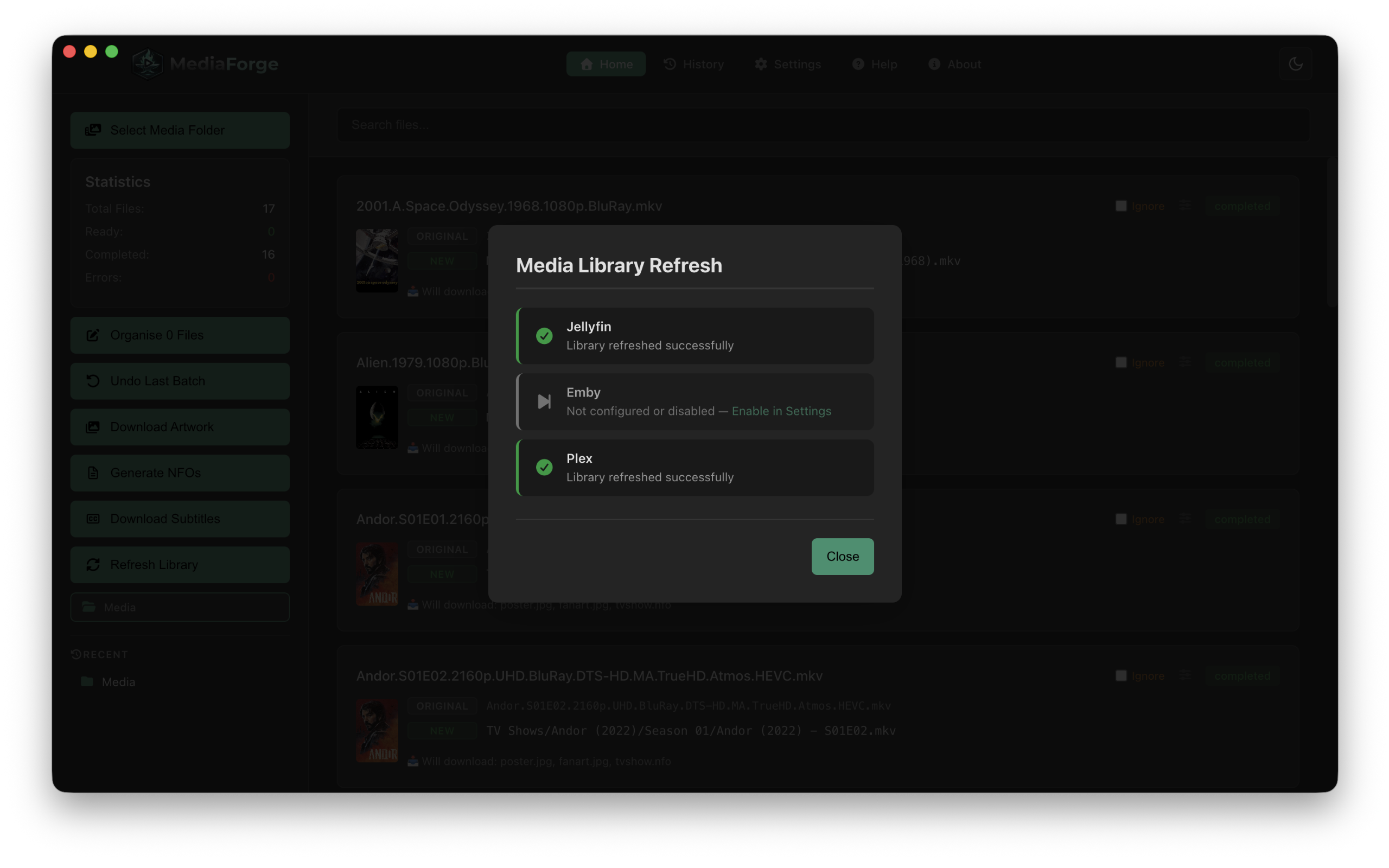
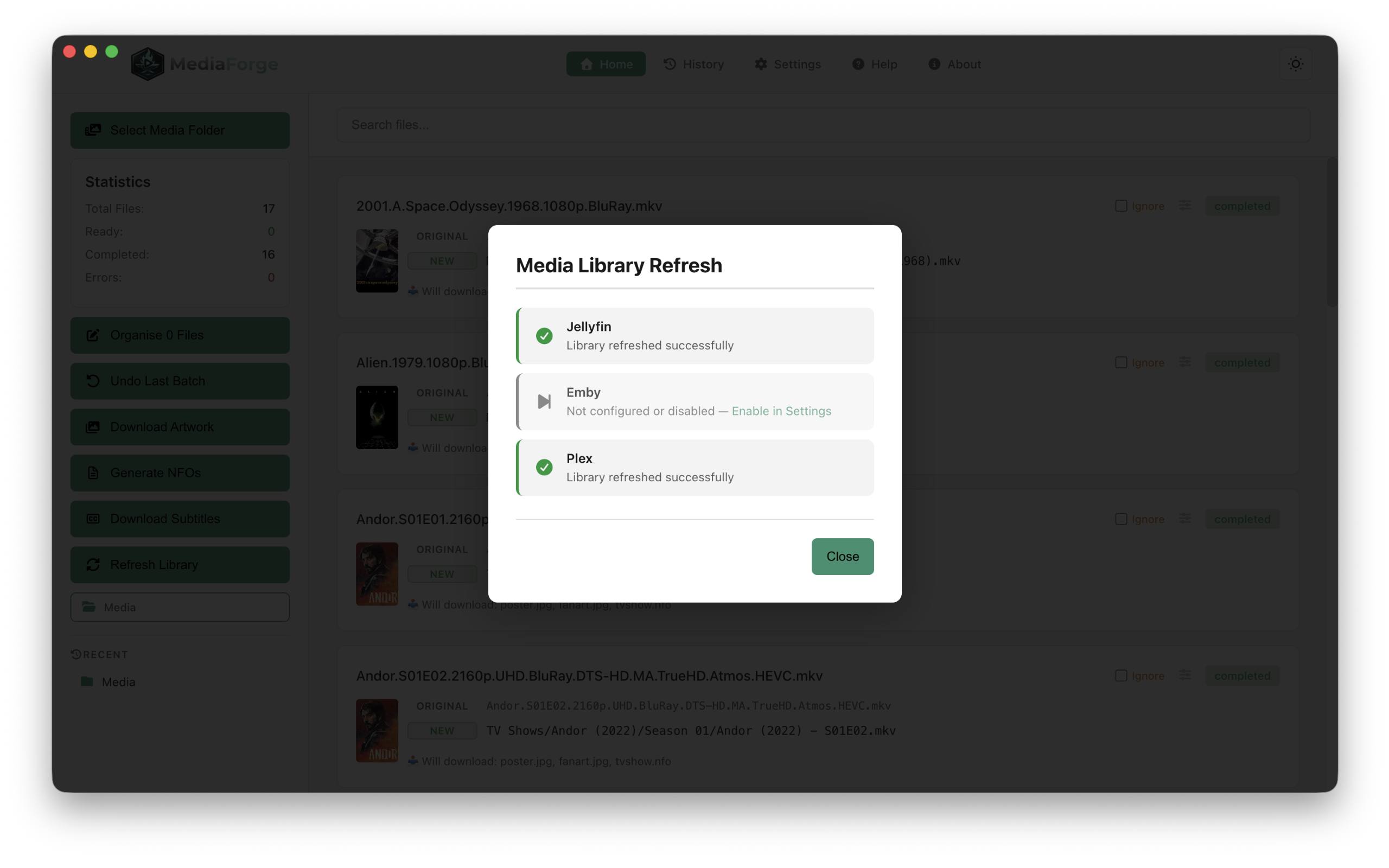
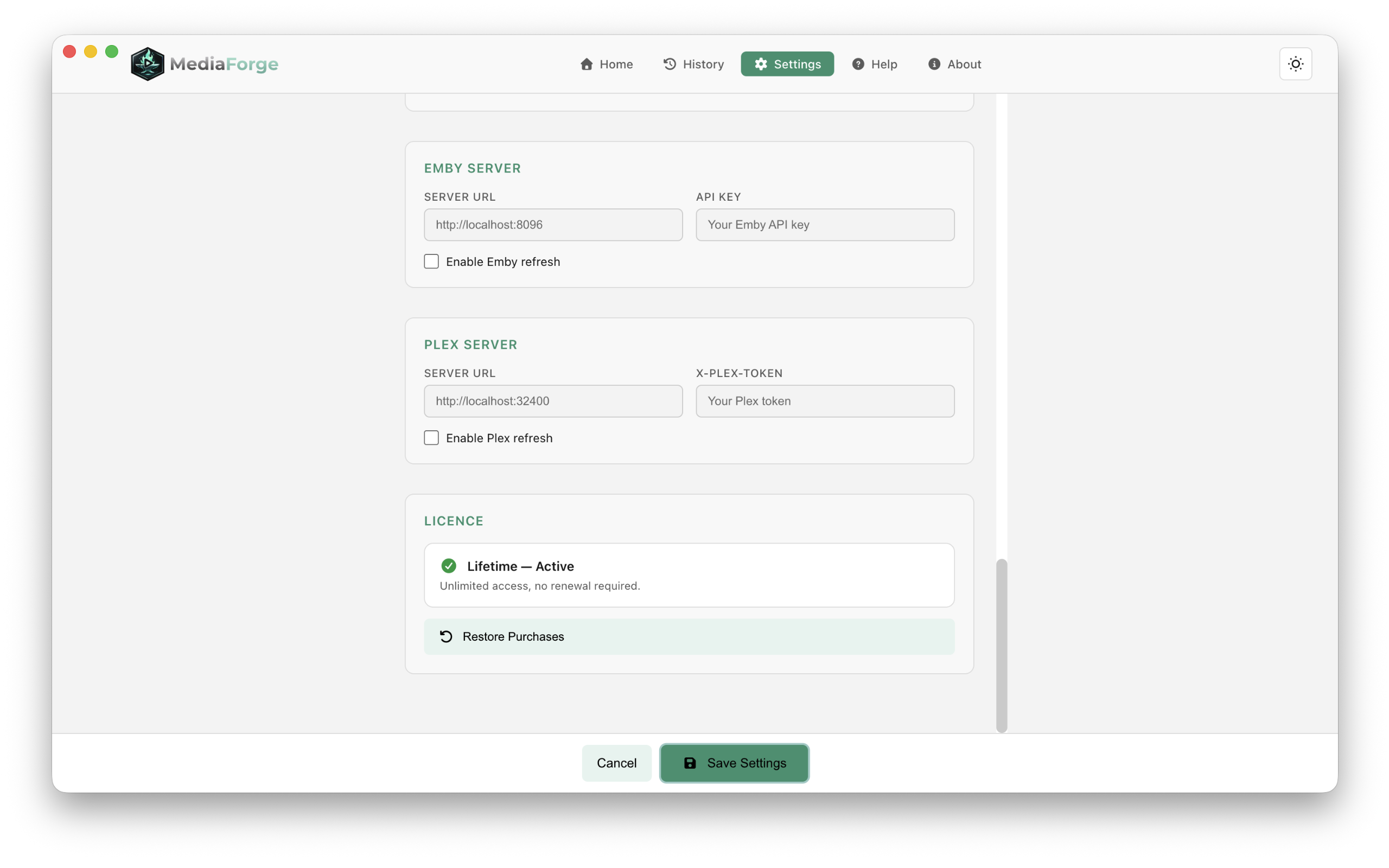
Triggers a rescan on Jellyfin, Emby and Plex simultaneously with a single click. Your newly organised content appears in seconds.
Rename History
Every rename is logged with full undo support. Export history to JSON or CSV, import it back later, or revert individual batches if anything goes wrong.
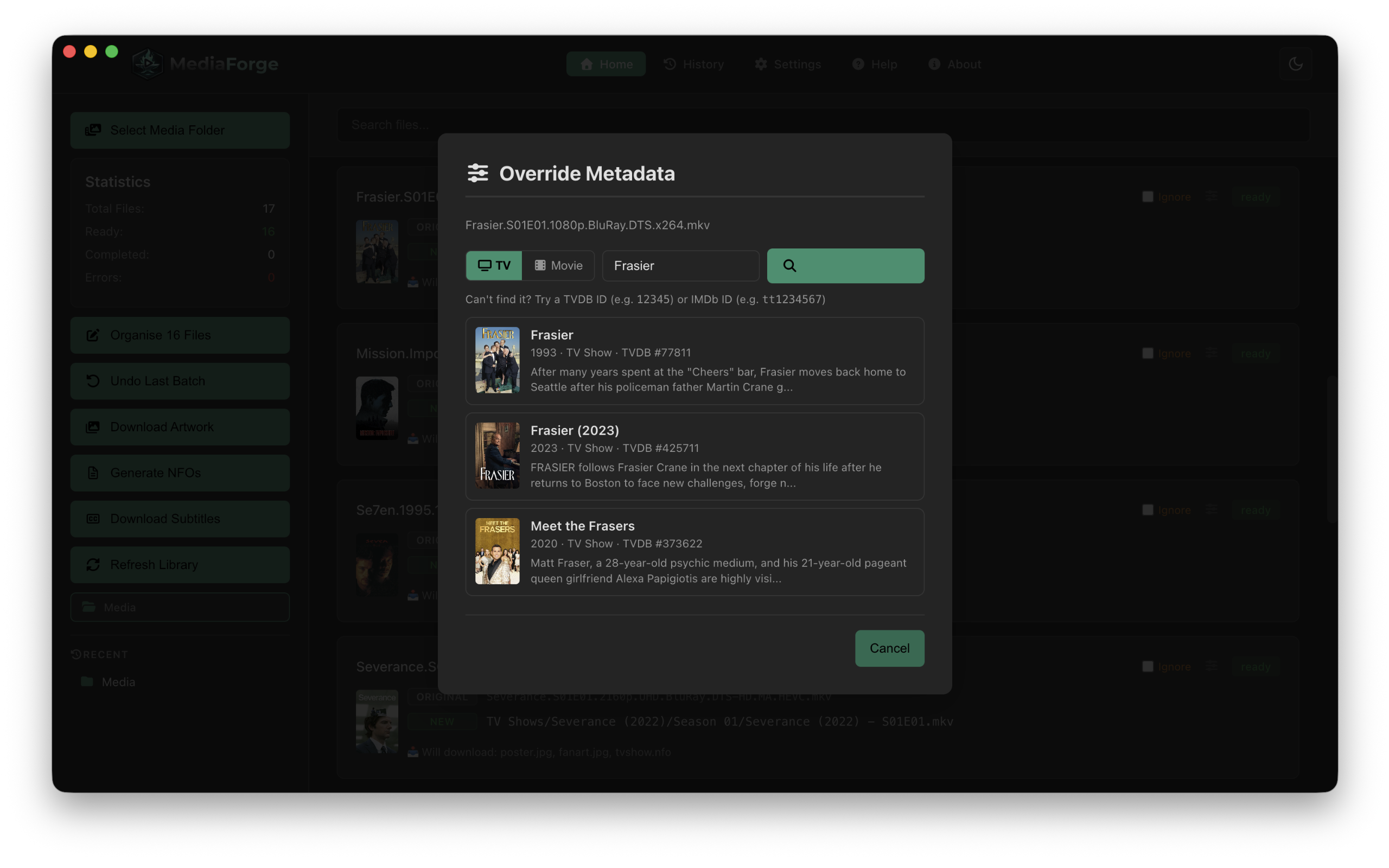
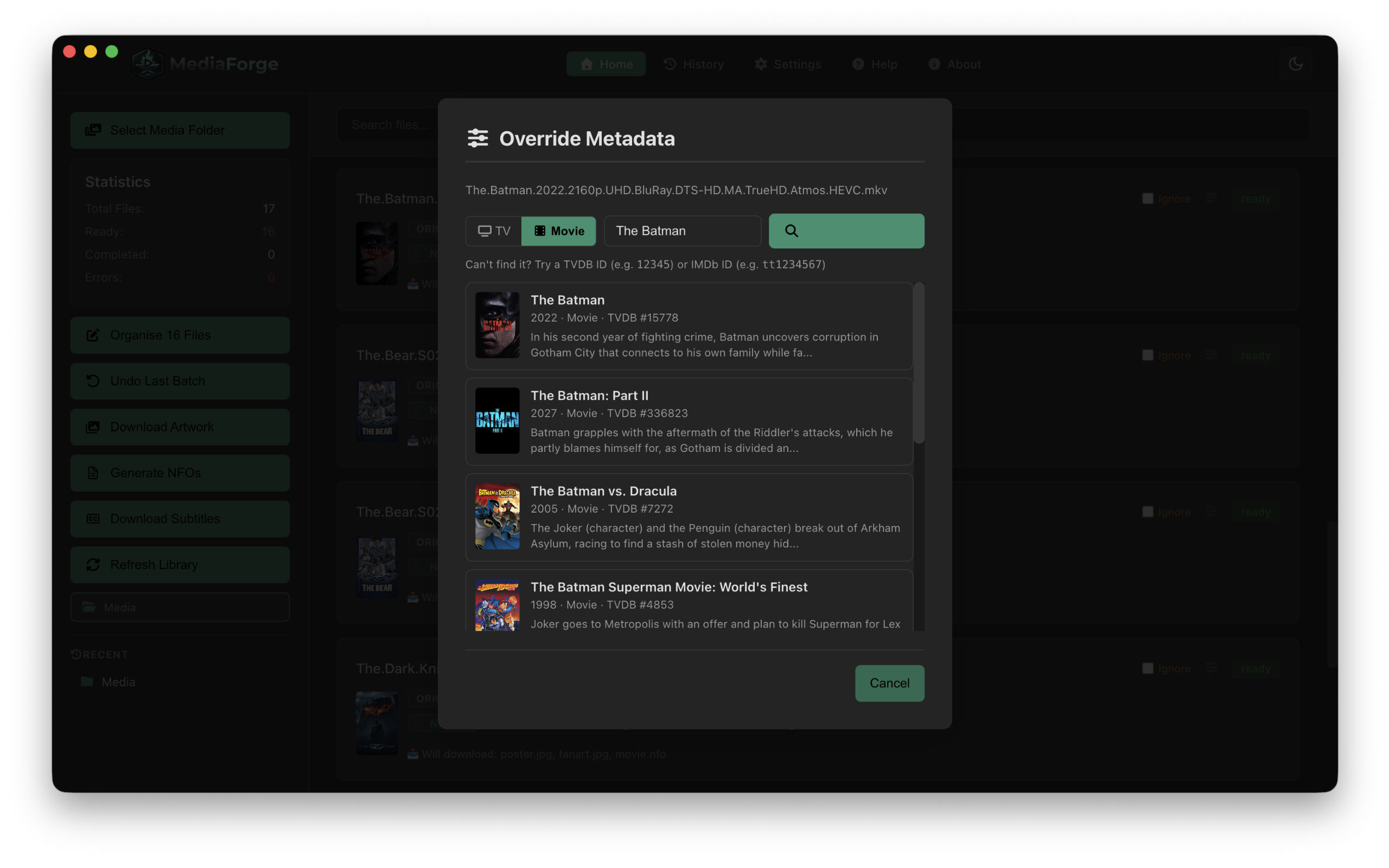
Manual Override
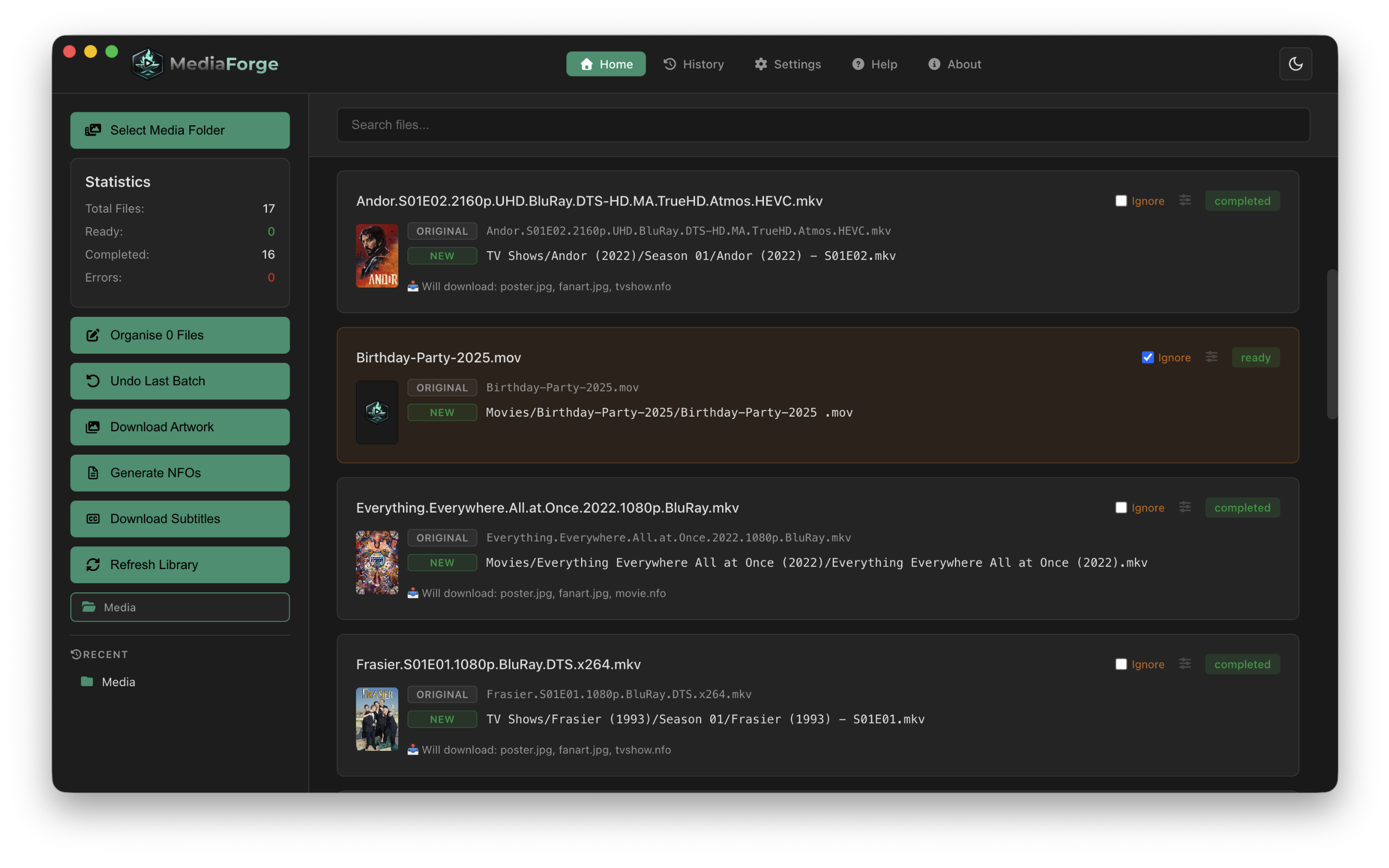
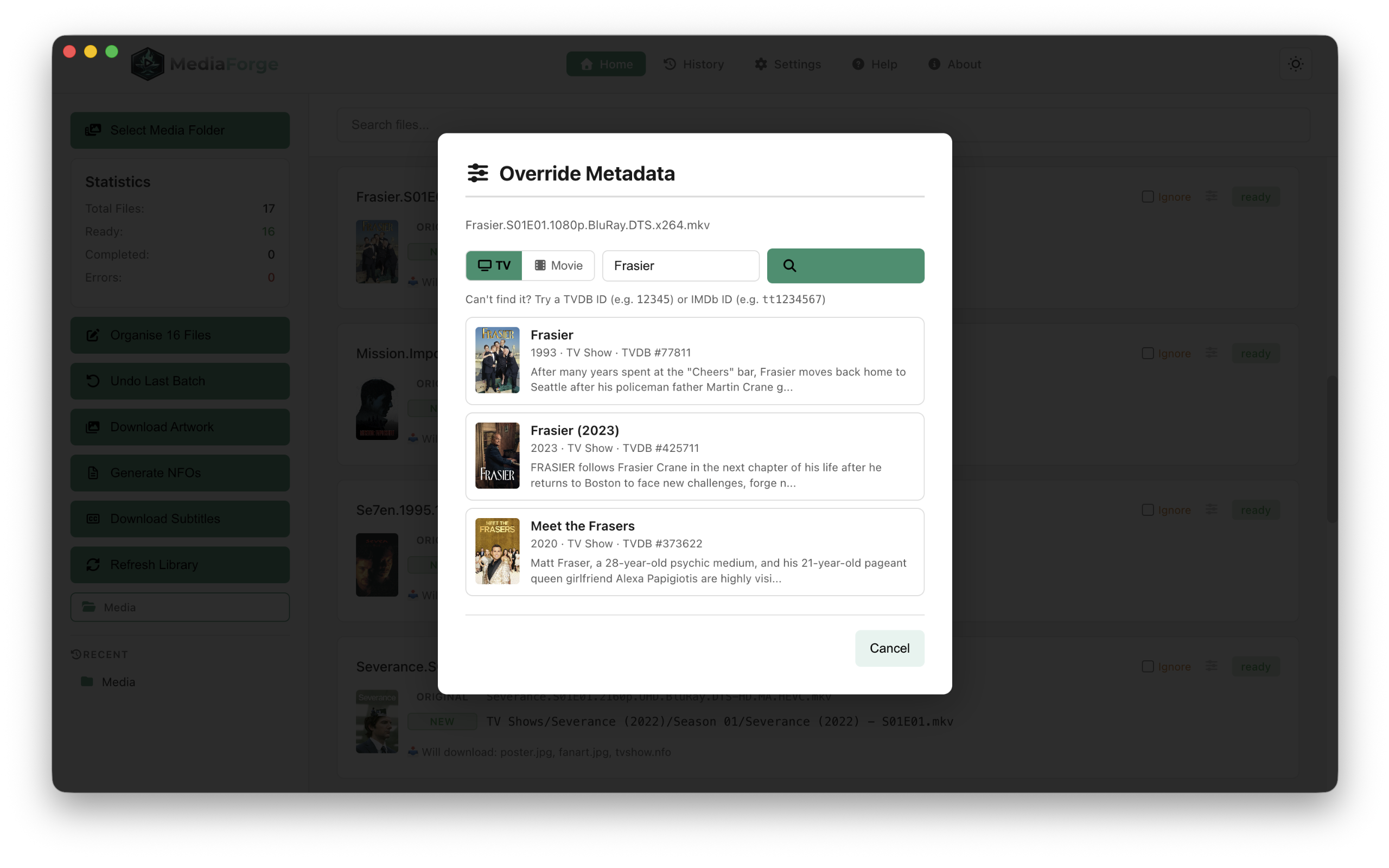
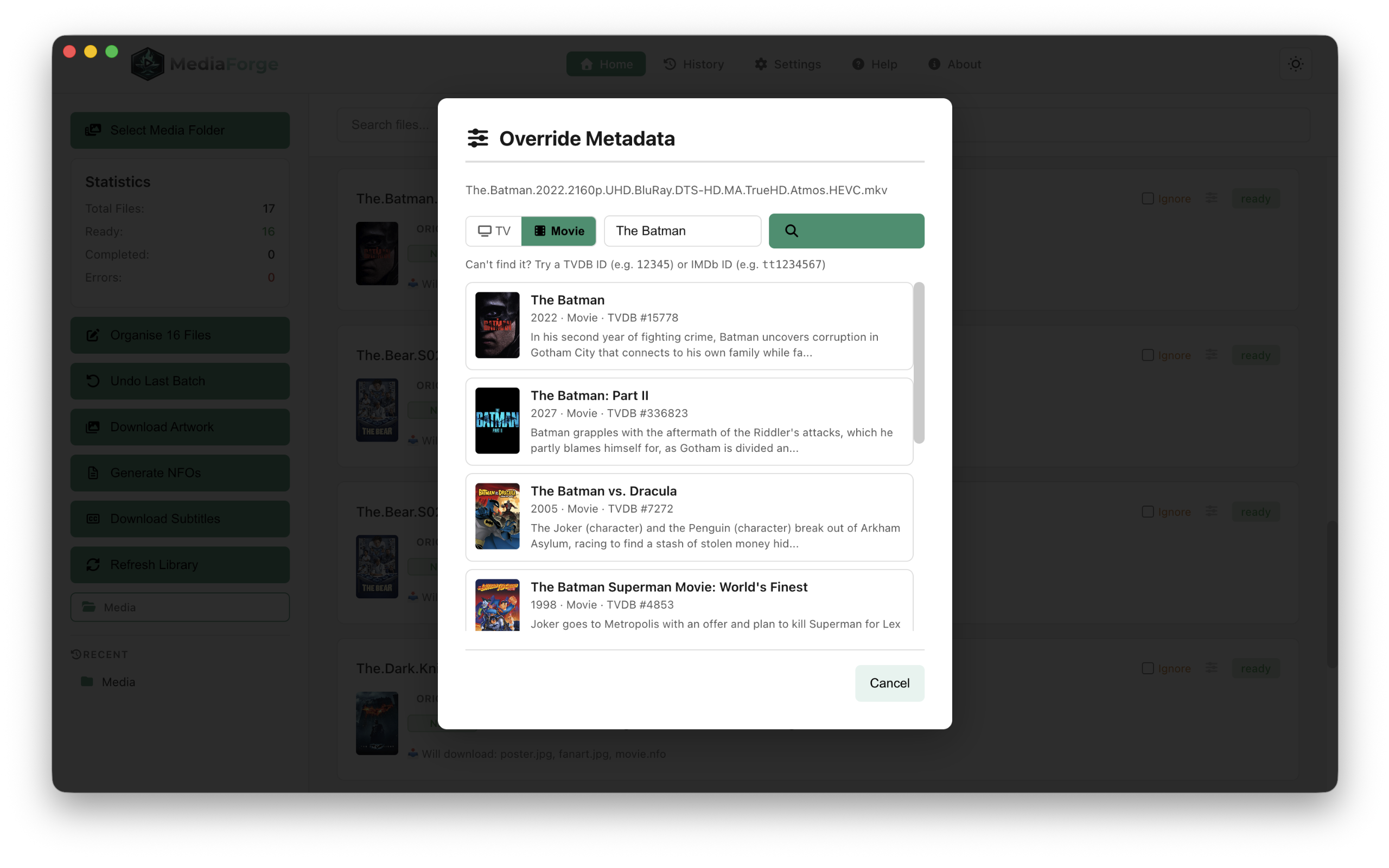
TVDB picked the wrong show? Click the override button on any file, search TVDB manually and lock in the correct match before renaming.
Network Drive Support
Per-file progress counter keeps you informed during large renames over SMB or NFS. No more wondering if the app has stalled.
Dark & Light Mode
Follows your macOS appearance preference automatically, or switch manually at any time. Your choice persists across restarts.
Built for your media server
Five steps to a perfect library
Select your unorganised media folder once and Media Forge handles everything else.
Select your media folder
Point Media Forge at a folder containing your unorganised media files. Keep this separate from your live library - think of it as an inbox.
Review & Organise
Media Forge matches each file against TMDB (or TVDB, per library) and shows you the proposed rename. Override any match manually if needed, then rename. Artwork is downloaded automatically. Templates in Settings control exactly how files are named and which subfolder they land in - your Sports content gets the right name and folder structure from the first rename.
Download artwork & generate NFOs
Download poster, fanart, logo, clearart, banner and disc images for every show and movie. Generate XML metadata files for Jellyfin, Emby or Plex - great for enriching your existing library too.
Download subtitles
Auto mode uses Subdl to find the best match. Shows you want to skip are remembered permanently.
Refresh your media server
Trigger a rescan on Jellyfin, Emby or Plex with one click. Your content appears immediately, fully enriched.
Simple, honest pricing
Try free, then choose how to own it. Demo includes organise files, poster, fanart and NFO generation - up to 25 files.
- All features included
- Automatic updates
- Mac App Store & Direct Download
- Verified by Apple

Licence valid on up to 2 Macs
Or try the demo first - free, up to 25 files- All features included
- All future updates
- Mac App Store & Direct Download
- Pay once, own forever
Licence valid on up to 3 Macs
Or try the demo first - free, up to 25 filesReady to organise your library?
Join media enthusiasts who have stopped manually renaming files.