Organising Anime
Anime has a few quirks that can trip up any media manager — Japanese primary titles, multi-season series split across separate TVDB entries, and absolute episode numbering that spans the entire run. MediaForge v1.3.1 handles all of it.
The anime metadata problem
Anime presents three specific challenges that generic media managers struggle with:
- Japanese primary titles. TVDB lists many anime under their original Japanese title — けいおん! rather than K-ON!, for example. MediaForge detects when a matched series has a non-English primary title and surfaces the English alias automatically.
- Split seasons. Long-running anime are often catalogued on TVDB as separate series entries per season — each with its own ID, year, and sometimes a different title. Jellyfin cannot merge these into a single library entry.
- Absolute episode numbering. Anime fans track episodes by their absolute number across the entire run (e.g. episode 167 of Naruto), not by season-relative numbering. MediaForge v1.3.1 adds dedicated tokens for this.
Example: K-ON!
K-ON! (けいおん!) is a good illustration of how TVDB structures anime. The series has a single TVDB entry covering both seasons and a set of specials:
Because K-ON! is structured as a single series with numbered seasons on TVDB, MediaForge can match and organise the entire run under one folder. The English alias K-ON! is retrieved automatically and used for folder and filename output — your files land in Anime/K-ON! (2009)/ regardless of the Japanese primary title on TVDB.
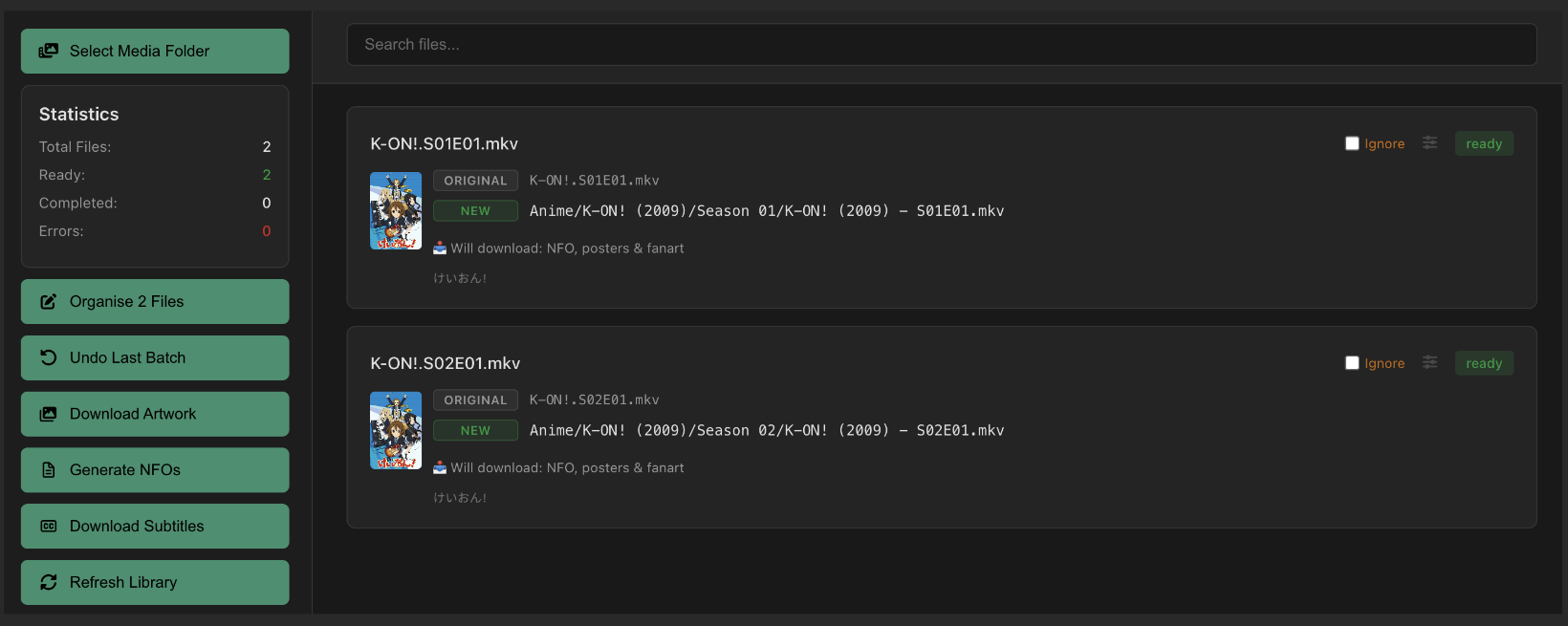
Matching anime in File Organiser
Name your files using the English title with standard season/episode notation and MediaForge will match them automatically:
K-ON!.S02E01.mkv
When MediaForge matches a series whose TVDB primary title is not in English, it retrieves the English alias and displays it beneath the Japanese title in the File Organiser row. The destination path uses the English title — your library stays in English regardless of what TVDB lists as the primary name.
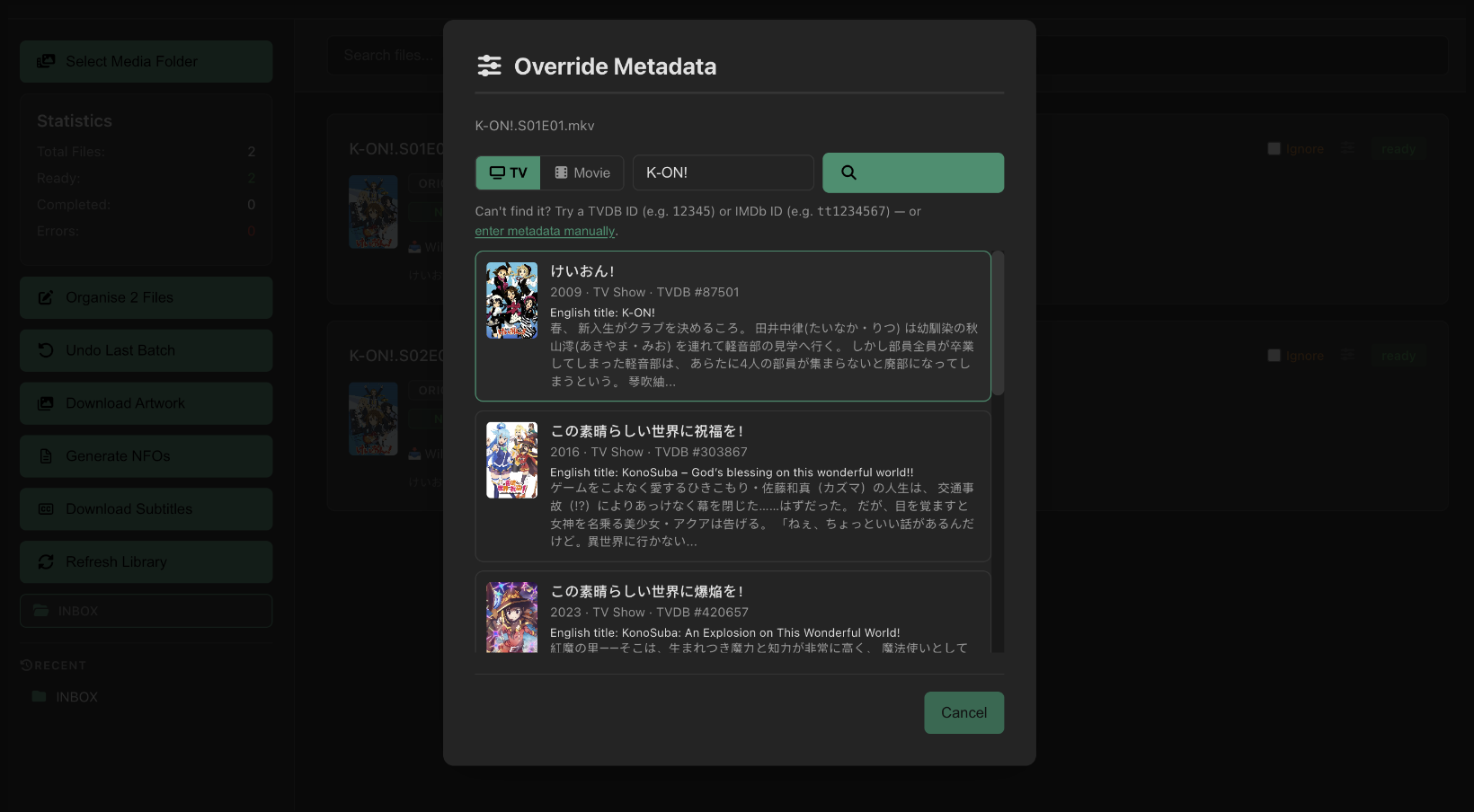
If the automatic match picks up the wrong series, use the Override button on any file row to search manually. The Override search modal shows the English alias alongside the TVDB primary title so you can confirm the correct match even for Japanese-titled entries.
Absolute episode numbering
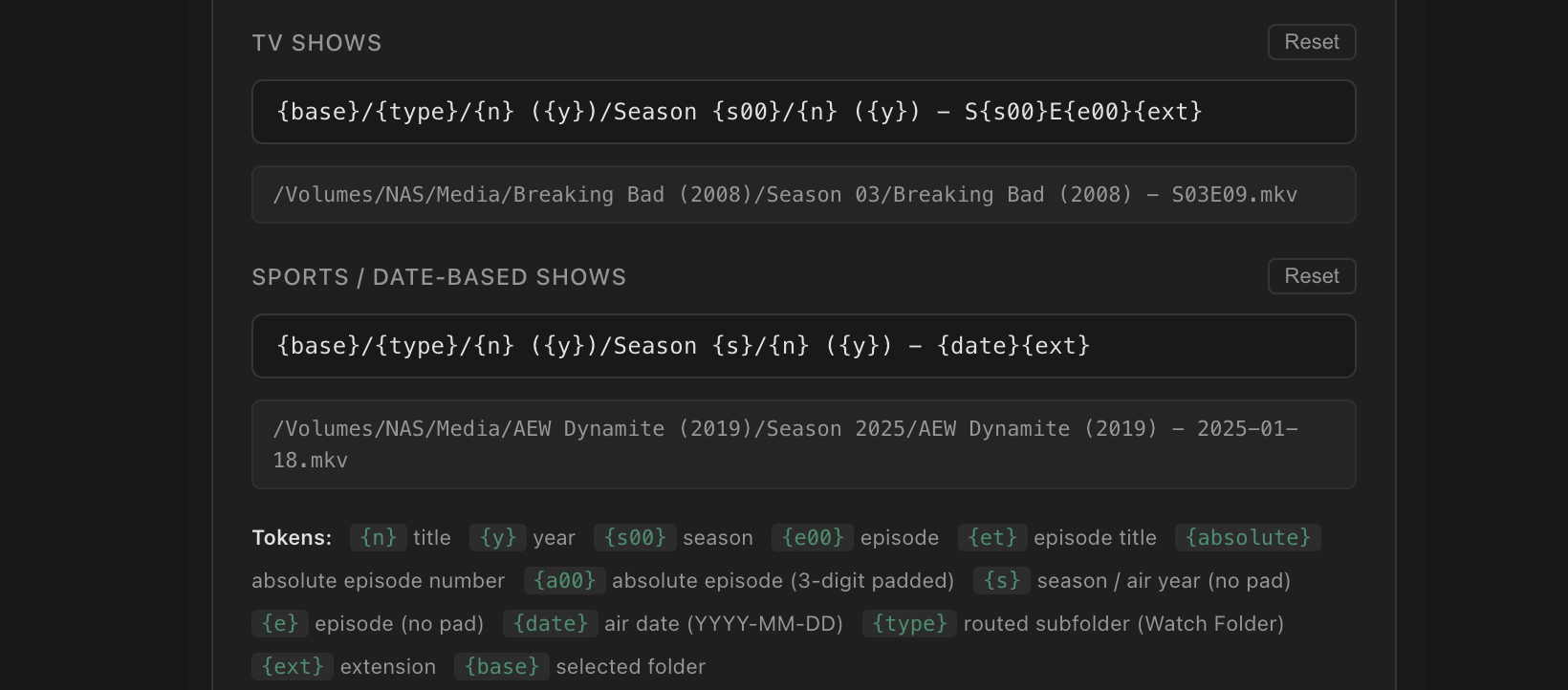
v1.3.1 adds two new naming tokens specifically for anime absolute episode numbers — the sequential episode count across the entire series run, ignoring season boundaries.
An anime-specific TV template using absolute numbering:
This produces filenames like:
If TVDB does not have an absolute number for an episode, the {absolute} and {a00} tokens are silently removed from the filename — no placeholder is left behind.
Routing anime to a dedicated folder
TVDB tags anime series with the Anime genre. You can use this to route anime automatically to a separate library folder — keeping it out of your main TV Shows library in Jellyfin or Emby.
In Settings → Watch Folder, add a routing rule:
With {type} in your template and this rule in place, K-ON! lands in /Media/Anime/K-ON! (2009)/ automatically — in both File Organiser and Watch Folder.

NFO generation for anime
MediaForge generates Kodi-format NFO files for each episode and show. For anime, the NFO includes the absolute episode number in the <displayepisode> field — the field Jellyfin and Kodi use to display the absolute count rather than the season-relative episode number. The native title is preserved in <originaltitle> while the episode title and plot are written in your preferred metadata language.
NFO files are generated automatically when you sync through Watch Folder, or on demand via Generate NFOs in the File Organiser or Update NFO in the Library Manager.
<?xml version="1.0" encoding="UTF-8" standalone="yes"?>
    <episodedetails>
      <title>Seniors!</title>
      <originaltitle>高3!</originaltitle>
      <showtitle>K-ON!</showtitle>
      <season>2</season>
      <episode>1</episode>
      <displayepisode>15</displayepisode>
      <plot>Yui and the other girls start their third year at high school
      (Azusa's second). With Azusa being the only second year of the light
      music club, the gang become determined to get new members...</plot>
      <aired>2010-04-07</aired>
      <runtime>25</runtime>
      <uniqueid type="tvdb" default="true">87501</uniqueid>
    </episodedetails>
Jellyfin library setup for anime
Add a dedicated Shows library in Jellyfin pointed at your Anime folder. Set the metadata provider order to prefer TVDB for the best match with how MediaForge organises the files — both use the same TVDB IDs written into the NFO.
| Jellyfin Library | Type | Path |
|---|---|---|
| TV Shows | Shows | /Media/TV Shows |
| Anime | Shows | /Media/Anime |
| Movies | Movies | /Media/Movies |
Enable real-time monitoring on the Anime library so files synced by Watch Folder appear immediately without a manual scan.
Availability
Anime support — including absolute episode tokens, English alias display, and Anime genre routing — is available in MediaForge v1.3.1 and later for all paid users on both Mac App Store and direct download (DMG) licences.
Ready to organise your anime library?
MediaForge v1.3.1 handles Japanese titles, absolute numbering and Anime genre routing out of the box.